The Home Blood Pressure Monitor We'd Buy (and the Cuff Mistake That Ruins Readings)
Upper arm, not wrist; a cuff that fits your measured arm; a validated model if your doctor asks for one. We compare the RENPHO Bluetooth monitor with the Omron Platinum and Omron 3 Series.

Our picks
Prices checked September 4, 2026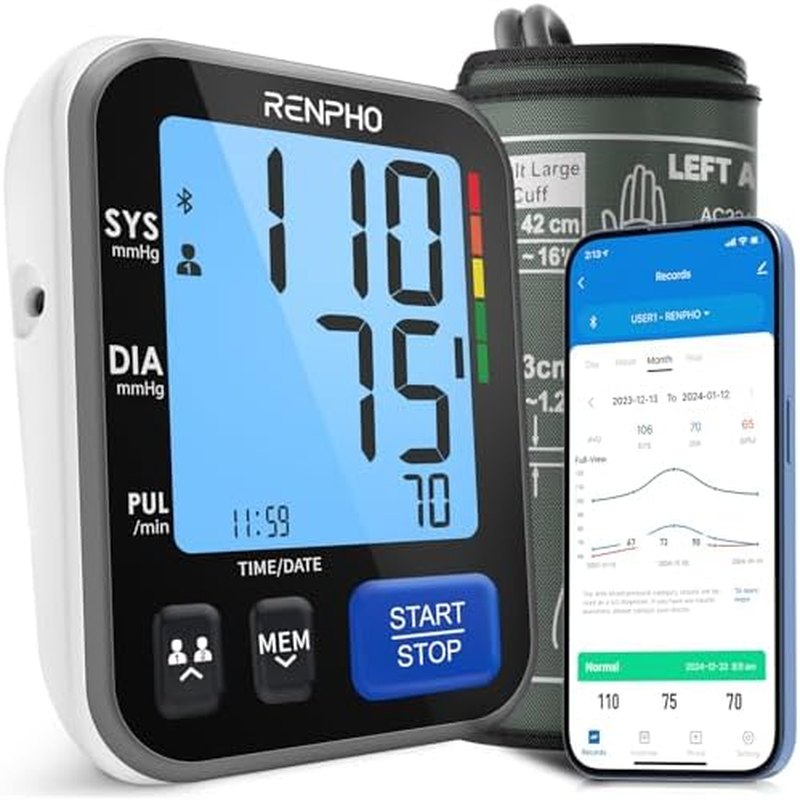
RENPHO Smart Upper-Arm Blood Pressure Monitor
A wide-range upper-arm cuff, Bluetooth sync to a free app so nothing gets hand-written, and a 4.4-star average across 1,700+ reviews, for a little over half the price of the Omron Platinum.
Upper-arm cuffWide-range cuffBluetooth app syncOnboard memory
Buy an upper-arm monitor with a cuff that fits your measured arm, and you’ve made the two decisions that matter. Everything else, including Bluetooth, screen size and how many users it remembers, is about whether you’ll keep taking readings after week three. We’d buy the RENPHO Smart Blood Pressure Monitor for most people at about $56: a wide-range cuff, an app that logs every reading, and enough owners (1,700-plus reviews, 4.4 stars, 600-plus sold in the past month) that the failure patterns are visible. If your doctor asks specifically for a clinically validated device, spend the extra on the Omron Platinum instead; it pays us nothing, and it’s the honest answer to that question.
We didn’t run these against a mercury sphygmomanometer. What follows is a comparison of published cuff ranges, features and the US Validated Device Listing that clinicians use, plus long-term owner reviews, the ones that mention month six rather than day one. Interpreting your numbers is your clinician’s job; choosing a device that produces consistent ones is what this guide is for.
Three monitors, one table
| Monitor | Cuff | Memory / users | App | On the US Validated Device Listing | Approx. price |
|---|---|---|---|---|---|
| RENPHO Smart Blood Pressure Monitor (our pick) | Upper arm, wide range | Onboard memory plus unlimited app history | Bluetooth, free | We could not find it listed | $56 |
| Omron Platinum BP5450 (not an affiliate link) | Upper arm, about 9–17 in | 2 users × 100 readings | Bluetooth, free | Yes | About $90–$100 |
| Omron 3 Series BP7100 (not an affiliate link) | Upper arm, about 9–17 in | 1 user, 14 readings | None | Yes | About $40–$50 |
Why we’d skip wrist monitors
Wrist monitors are tempting for large arms and for travel, and every reputable guideline still says the same thing: measure at the upper arm. The brachial artery is what clinic readings and validation studies are based on. A wrist cuff can be accurate, but only if the wrist is held exactly at heart level and kept still, and a few degrees of tilt moves the number. In owner reviews of wrist monitors the recurring complaint is readings that swing 15 or 20 points between attempts a minute apart. That’s technique, not the device, but it’s technique you have to get right every single morning. All three monitors in our table are upper-arm for that reason. If a cuff genuinely can’t go on your arm, a wrist model you’ll use beats an arm model in a drawer; just take every reading the same way.
Measure your arm before you spend anything
Cuff size is the mistake that ruins home readings. Wrap a tape around your upper arm midway between shoulder and elbow. A cuff that’s too small reads high; too large reads low, and the error can be enough to change whether a reading looks normal. The RENPHO ships with a wide-range cuff meant to cover most adults; the Omron models ship a cuff rated for roughly 9 to 17 inches. If your arm is outside that band on either end, look for a model that sells a small or extra-large cuff separately before you buy anything. Not every brand does, and the RENPHO’s wide cuff is the only one it comes with.
Cuff shape matters when you take readings alone. A stiffer, preformed cuff slides on with one hand and sits in the same place each time; a floppy wrap cuff takes two hands and a mirror. That’s a point for the Omrons.
Validation: what the RENPHO doesn’t have
There’s a difference between “clinically accurate” on a box and being on an independent validated-device list. In the US that list is the Validated Device Listing maintained with the American Medical Association; Omron’s Platinum and 3 Series are on it. We could not find the RENPHO there. That’s the honest trade: you’re buying a cuff with a good app and a large, satisfied owner base, not one that’s cleared an independent protocol. For most people tracking trends and sharing them with a doctor, that trade is fine. If your clinician is adjusting medication against your home numbers, they may want a listed device, and that’s when the Omron Platinum earns its price.
One check you can do regardless: take your monitor to your next appointment and have the nurse read your pressure with theirs, then yours, a minute apart. A consistent offset is fine to live with; a random one is a reason to return the device.
The features that keep you measuring
Averaging mode. Most guidelines want two or three readings a minute apart, averaged. The Omron Platinum does this automatically; its TruRead mode takes three and reports the mean. On the RENPHO and the 3 Series you take them yourself and average, and the RENPHO’s app makes that painless because every reading lands in it.
Memory and users. The 3 Series stores 14 readings for one person, which is enough for a week and not enough for a couple. The Platinum stores 100 each for two users. The RENPHO keeps readings on the device and, once paired, an unlimited history in the app, split by family member. Two people in a household is the most common reason people upgrade off a basic monitor, and it’s where the RENPHO and Platinum pull away.
App and sharing. The RENPHO Health app and Omron Connect are both free, both chart trends, and both export a summary you can show or email. Check that before buying any other brand; some lock export behind a subscription. If you’d rather not have an app at all, the 3 Series is the honest pick: a big display, a start button, and a paper log.
Power. All three run on AA batteries; the Omrons take an optional AC adapter. A dead battery on the morning you need a reading is the small annoyance owners mention most, so keep spares in the drawer.
Technique is the free upgrade
The device is half of it. Sit for five minutes first, feet flat, back supported, arm resting on a table so the cuff is at heart level. No talking during the reading, no caffeine, exercise or smoking in the half hour before. Same chair, same time (morning before medication and evening are the usual pair), and record every reading, not only the ones you like. A validated cuff used sloppily gives worse data than a $56 cuff used the same way every day.
FAQ
Are smartwatch blood-pressure features a substitute?
Not for home monitoring. Wrist wearables that estimate blood pressure need calibration against a cuff and aren’t validated the same way. A cuff monitor is still the standard.
How many readings should I take?
Two readings a minute apart, morning and evening, for about a week, then average, unless your clinician gives you a different schedule, in which case follow theirs.
Why are my home readings lower than the doctor’s?
It’s common. Clinic anxiety raises readings, and cuff size or arm position can differ. That gap is exactly what home monitoring is for; mention it at your next visit if it’s large or consistent.
The bottom line
For most households the RENPHO Smart Blood Pressure Monitor at about $56 is the one we'd buy: upper-arm cuff, free app logging, two-person friendly. If your clinician wants a clinically validated device, the Omron Platinum (about $90–$100, not an affiliate link) is the answer. If you want no app and the lowest price, the Omron 3 Series at around $40–$50 does the job for one person.
What we like
- Upper-arm cuffs on all three monitors we compare; the RENPHO's wide-range cuff fits most adults out of the box
- The RENPHO logs every reading to a free app with per-person history, which is what keeps couples measuring past week three
- At about $56 it undercuts the validated Omron Platinum by a third while matching it on Bluetooth and multi-user tracking
What to watch
- We could not find the RENPHO on the US Validated Device Listing; the Omron models are on it
- No automatic three-reading averaging on the RENPHO; you take the readings and let the app do the math
- Only one cuff size in the box; arms well outside the wide-range band need a different monitor
Junjie Li
Junjie researches and writes every guide on this site. No lab and no sponsors: manufacturer specs, long-term owner reviews and professional test results, then a straight answer on what to buy for each situation.